Security Dashboard
Benefits
The Security Dashboard helps you:
- Identify Security Risks Early: Automatically detects configuration issues that could lead to security vulnerabilities
- Monitor Threats: See suspicious behavior and attack patterns in real-time
- Prevent Attacks: Automatically block malicious activity when active mode is enabled
- Improve Configuration: Get specific recommendations to fix security misconfigurations
- Compliance Support: Ensure your setup meets security standards and best practices
Overview
Security problems often come from configuration mistakes, not just attacks. Even when using secure standards like OAuth 2.0 and OpenID Connect (OIDC), a small misconfiguration can create a security hole.
Common configuration mistakes that cause security issues:
- Wrong redirect URLs that attackers can exploit
- Overly broad scopes that give apps too much access
- Using insecure OAuth flows for the wrong app type
- Missing security parameters like
stateornonce - Weak password policies
The Security Dashboard automatically checks your entire cidaas configuration against security best practices and shows you what needs to be fixed.
How Security Configuration Evaluation Works
cidaas continuously evaluates various security configurations automatically:
- OAuth 2.0 and OIDC Configuration: Checks if your apps use secure flows (like PKCE for mobile apps), proper redirect URIs, and required security parameters
- Password Policies: Validates password strength requirements and expiration settings
- App Security Settings: Reviews grant types, scopes, and token settings
- Authentication Methods: Checks MFA requirements and verification method configurations
- Session Management: Validates session timeout and security settings
All detected issues are automatically categorized and displayed in the Security Dashboard, making it easy to see what needs attention.
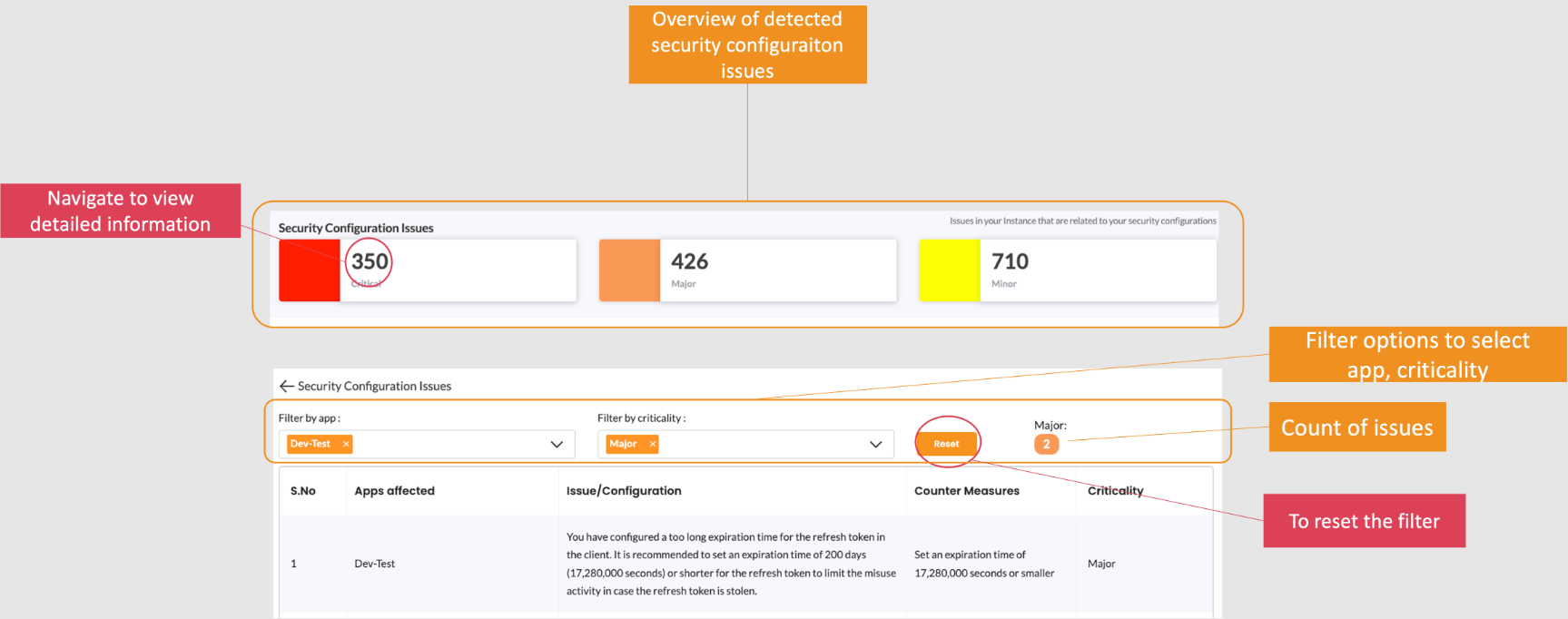
Security Configuration Issues
The Security Dashboard shows configuration problems in organized categories. Each category provides:
- Quick Summary: See how many issues exist in each area
- Detailed View: Click to see specific problems with affected apps
- Filtering Options: Filter by app, severity, or issue type
- Action Items: Clear guidance on how to fix each issue
Example configuration issues you might see:
- "App uses insecure redirect URI pattern"
- "Missing PKCE for mobile application"
- "Password policy too weak"
- "App has overly broad scopes"
These insights help you understand risks and take targeted actions to improve security.
Anomalies and Suspicious Behavior
Beyond configuration, the Security Dashboard monitors actual user behavior to detect attacks:
- Unusual Login Patterns: Multiple failed attempts, logins from new locations
- Suspicious Activity: Unusual access patterns, potential credential stuffing
- Attack Indicators: Brute force attempts, automated attacks
The dashboard provides visualizations showing:
- Which apps are being targeted
- When attacks are happening
- Geographic patterns of suspicious activity
- User accounts at risk
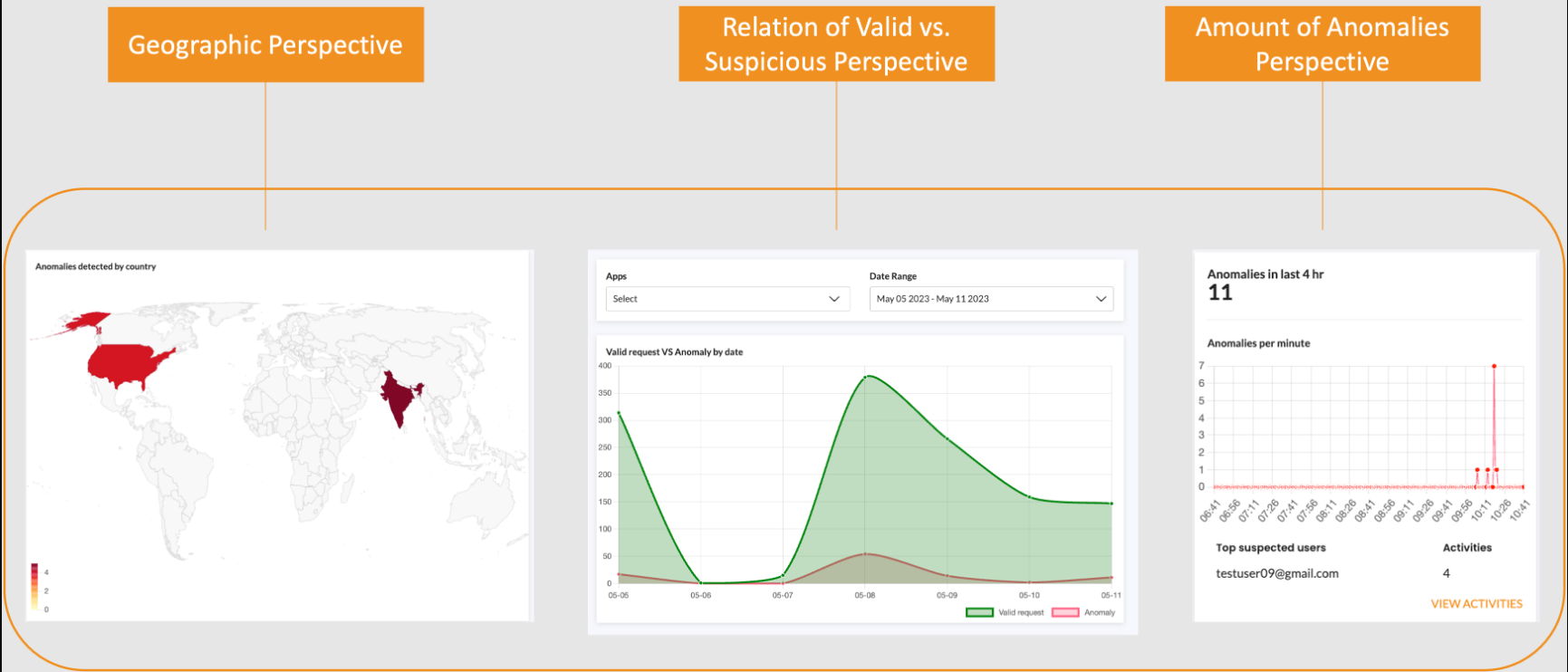
Suspicious behavior detection is enabled by default. For stronger protection, you can enable active mode, which automatically blocks detected suspicious behavior instead of just alerting you.
Related API Documentation
- Fraud Detection System API - Configure fraud detection and blocking settings
- App Settings API - Configure OAuth 2.0 and OIDC app security settings
Explore Related Topics
- Static Blocking - Configure static blocking rules for domains, IPs, and identifiers
- Brute Force Attack Prevention
- Password Policy and Compromised Credentials Detection
- Cross-Site Request Forgery Attacks
- Smart MFA
- App Management
- OAuth 2.0 Basics
- Session Management
Please contact us directly on our support page.