Configuring LinkedIn as a Social Provider
In this section, we will show you how to provide an option to log in with LinkedIn on your cidaas login page.

By configuring LinkedIn as a social provider in cidaas, you will get a new option called Login with LinkedIn on the login page and Sign up with LinkedIn on the registration page of your cidaas application.
The overall process would be:
- On the LinkedIn developer console : Generate client ID and client Secret.
- On the cidaas admin portal : Add the LinkedIn client ID and client Secret in cidaas application and select appropriate cidaas applications for which you want to enable LinkedIn.
We'll guide you through the process — it's pretty easy.
LinkedIn setup
In cidaas instances, you must provide custom credentials, which include generating your own Client ID and Client Secret using your LinkedIn Developer account.
-
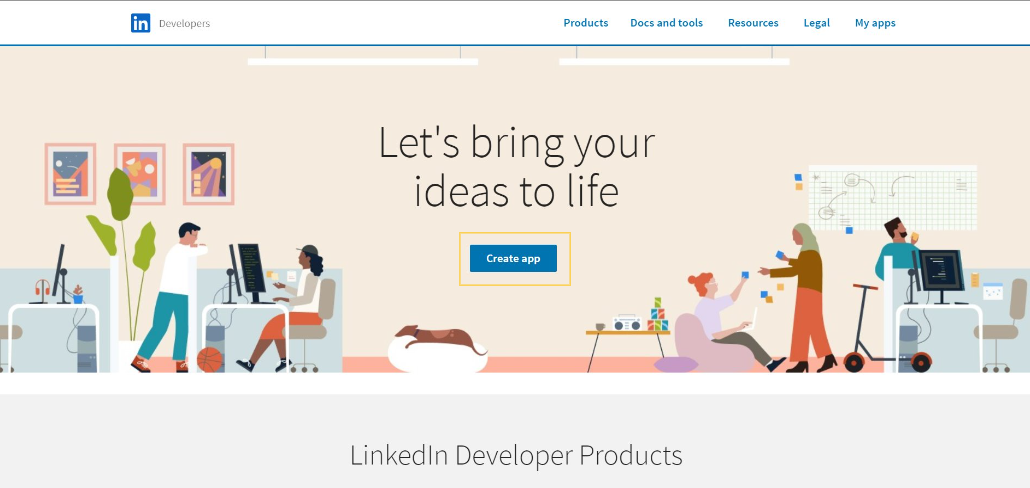
Go to the LinkedIn Developer portal and click on the Create app button.
-
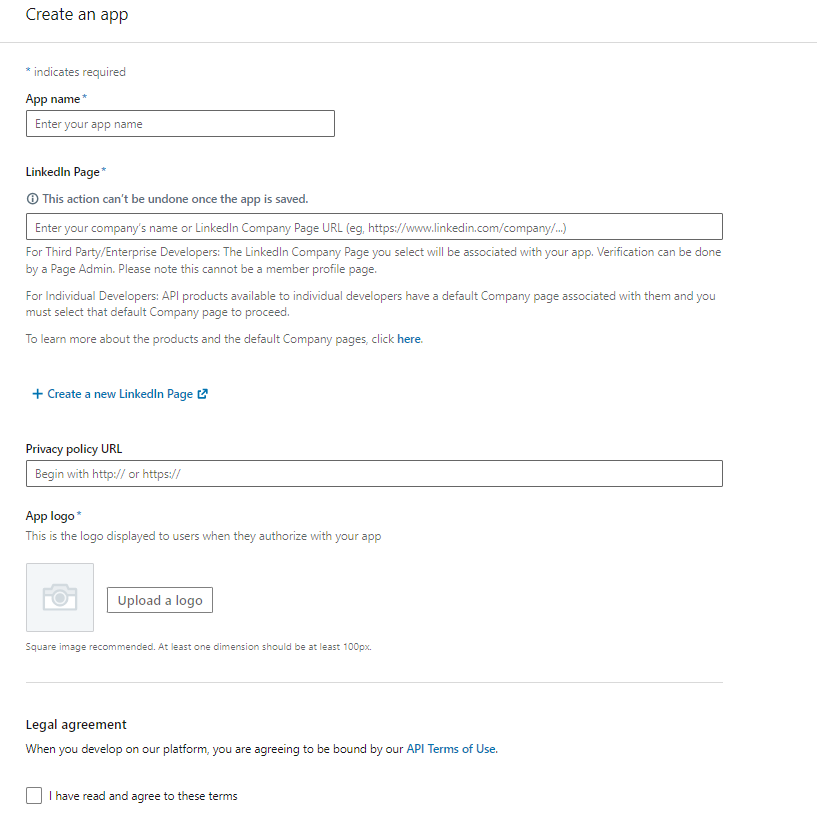
Once redirected to the application creation form, you need to set a name, associate a LinkedIn page with it, upload a logo for your new application, and click on Create App.
-
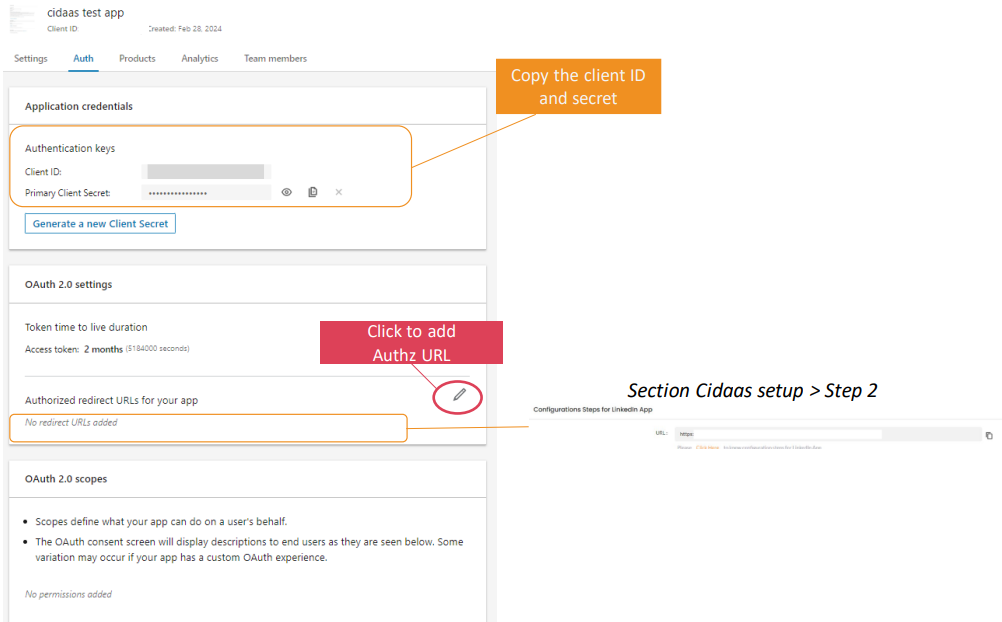
Once redirected to the application overview menu, under the Auth tab, copy the client ID and secret.
- Copy the OAuth 2.0 URL from the cidaas setup section, step 2 (Configuration steps for the Linkedin App).
- Enter the OAuth 2.0 settings URL.
-
Let's move to the cidaas setup section above.
cidaas setup
Configure Social Provider Setup in cidaas
In this section, you'll find steps on
- how to add client ID and client Secret obtained from your LinkedIn account into your cidaas application and
- how to choose cidaas client applications for which you want to enable LinkedIn as a social provider.
-
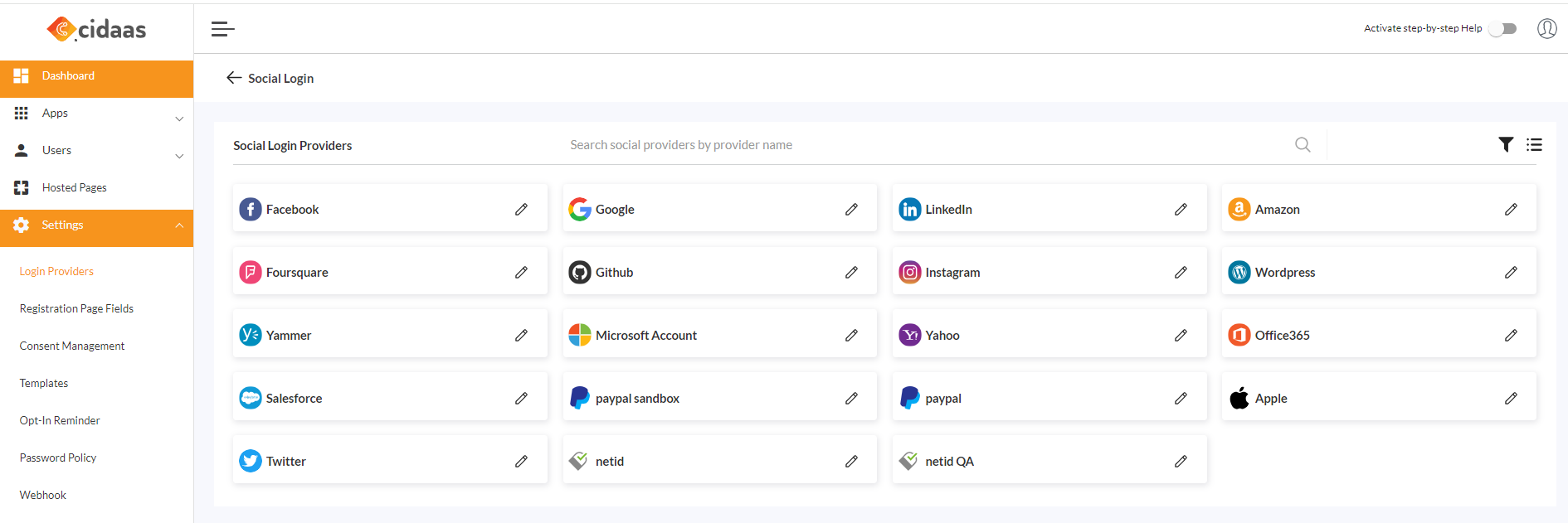
Now, navigate to cidaas Admin dashboard -> Settings -> Login Providers -> Social Providers.
-
Click on LinkedIn --> Create provider, enter the required details, and save.
- Enter the Client ID and Client Secret acquired from the LinkedIn setup section.
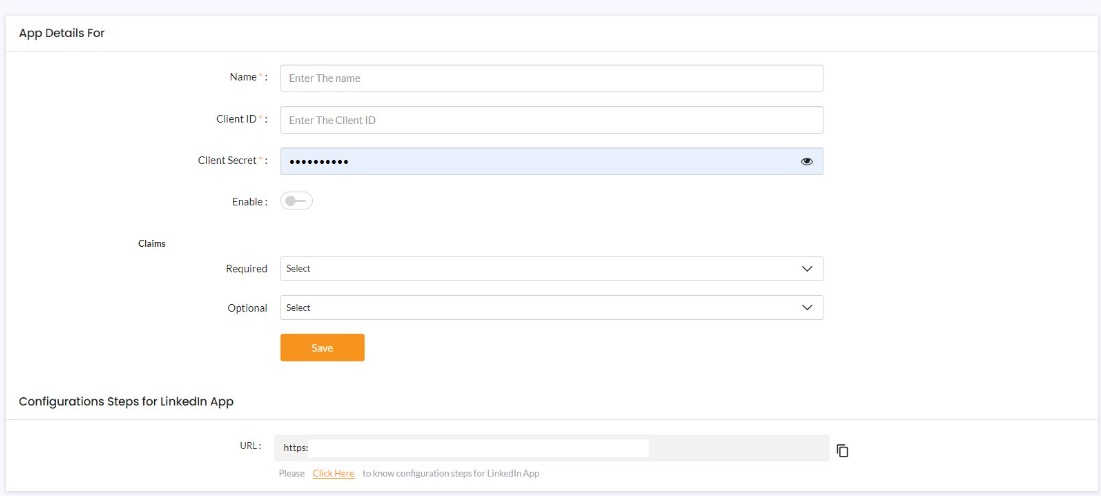
-
After you save, you can select the application you want LinkedIn to use as a social provider.

-
LinkedIn is available as a social provider for your application.
Note : An administrator can configure single provider to more than one client.
Reference Link how to configure other providers?
Please contact us on our Developer Support Page.